Your guild's OSRS data, on a server you run.
osrs-data-hub collects what your members' RuneLite sends: XP, drops, deaths, gear and where they are. It keeps the history and shares it inside your Discord guild, with each player deciding who sees what.
Self-hosted with Docker Compose or Kubernetes. Open source under Apache-2.0.
Players connect in a couple of minutes
No accounts, no passwords, nothing to configure in the game. The plugin decides what is sent; the hub stores only what arrives.
The player guide- 1
Install HA Exporter
Each player installs the plugin from the RuneLite Plugin Hub.
- 2
Pair with a code
They sign in to your hub with Discord, open Add device, and paste the code and URL into the plugin.
- 3
Play
Log in to OSRS. The hub shows "Receiving data" within seconds, and keeps everything from then on.
What your guild sees
Screenshots of the hub itself, with test data. It follows each member's light or dark setting and works on phones too.
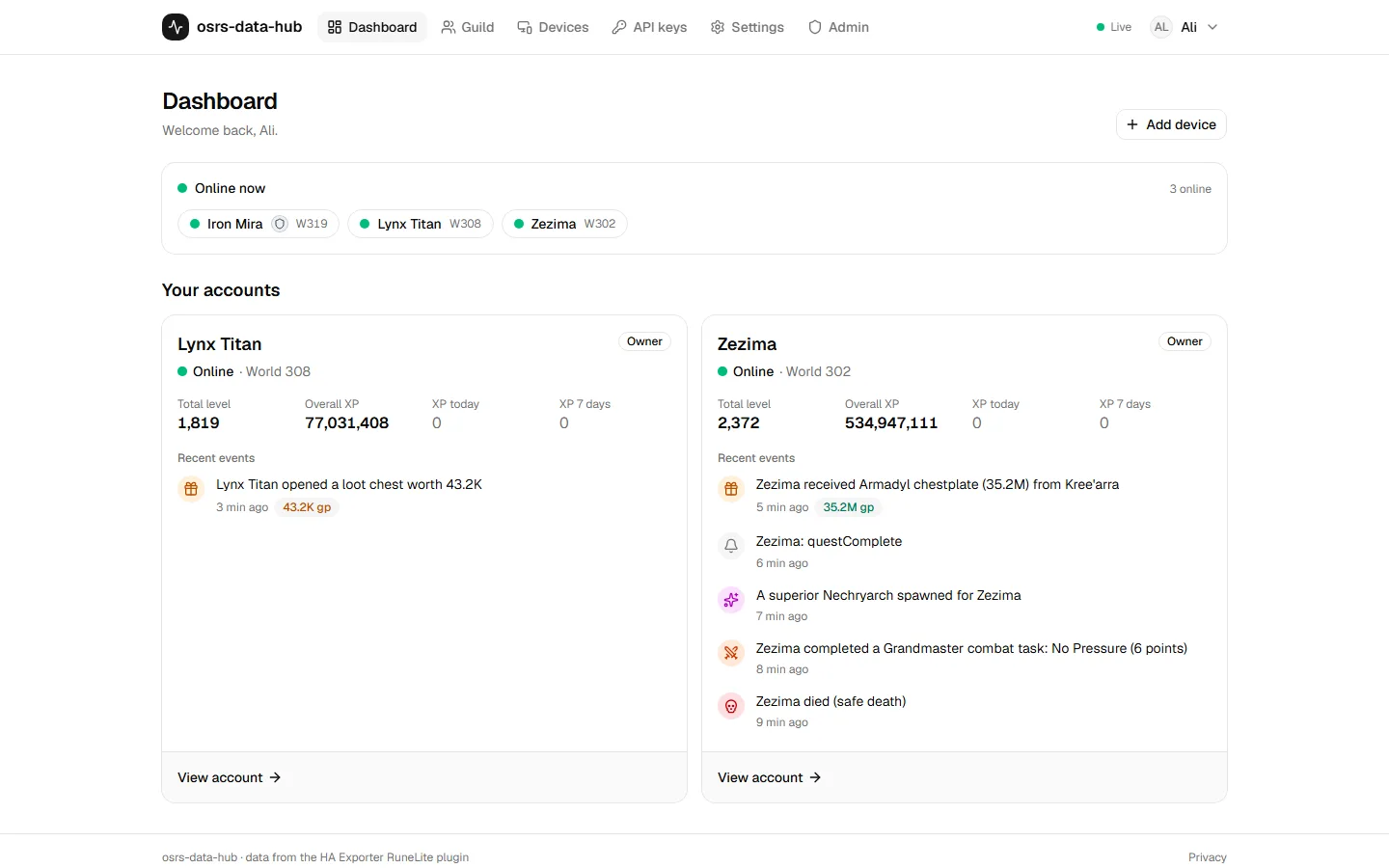
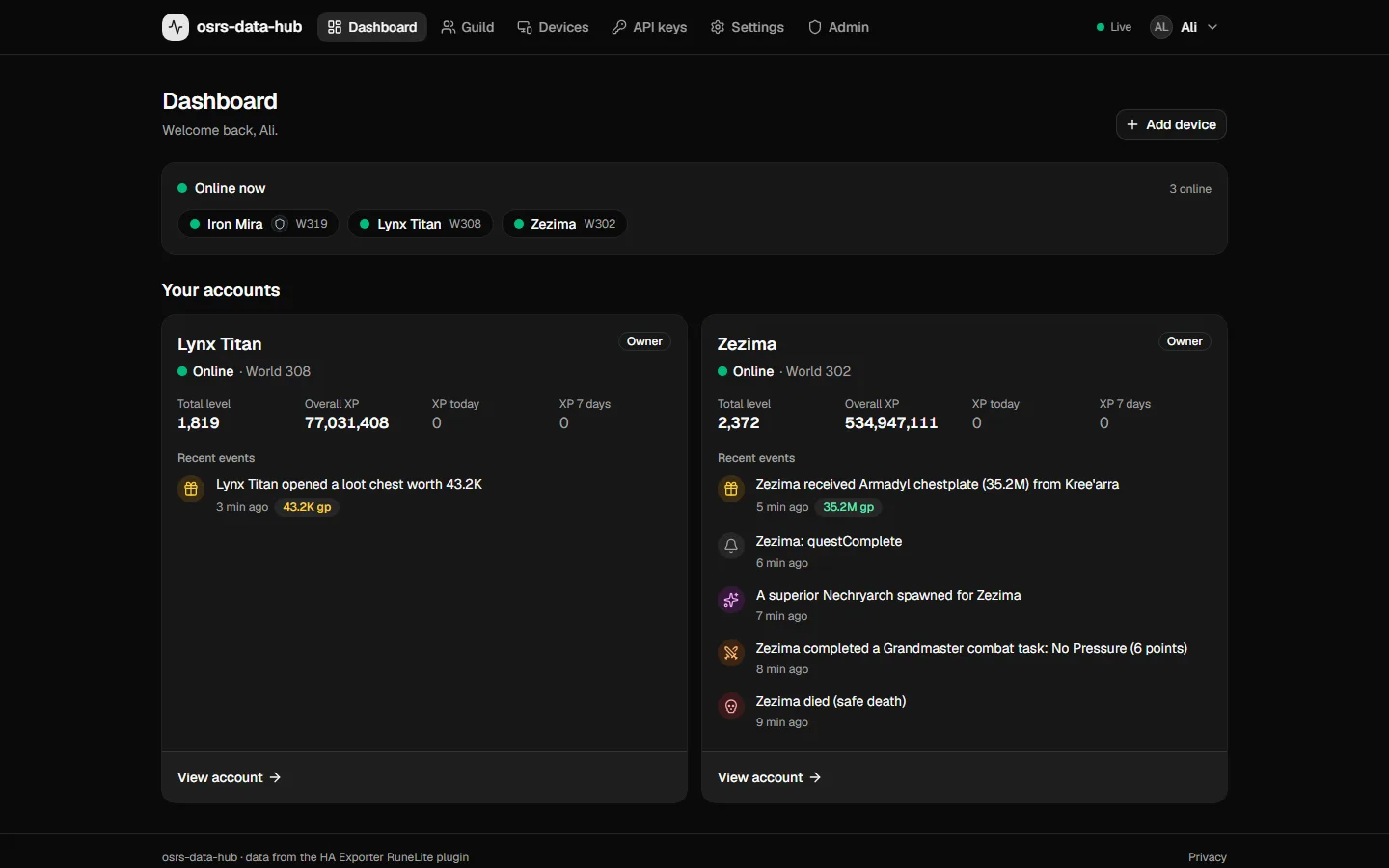
Who is online, and a card per account with its levels, gains and latest events.
One hub per guild, and everything the plugin sends
- Receives
- A drop-in endpoint for the HA Exporter plugin. Players pair with a 5-digit code; no accounts to create, no passwords.
- Keeps the history
- Current state, 10+ years of XP, drops, level-ups, deaths, collection log, diaries, combat tasks, play sessions, gear, wealth and a location trail.
- Shows it
- A personal dashboard, a page per account, a guild page with leaderboards, and live toasts when something happens.
- Shares it on your terms
- Every account decides per category who sees what: only its players, the whole guild, or members they pick.
Sign-in is Discord OAuth, limited to members of your guild and optionally a role. Members who leave lose access automatically, with a grace period before their data is deleted.
Build on top of it
The hub has a read-only REST API with scoped keys. Members create their own; admins create integration keys for services the whole guild uses.
- OSRS Guild MapEvery online member on a live map, with profiles, trails and the biggest drops of the week.
- Discord botPost drops over a threshold, daily gains leaderboards and who is online to a channel.
- Home AssistantSensors and automations for your own account, from the same RuneLite plugin.
- Your own scriptsA documented, read-only JSON API with scoped keys. Anything that can send a GET request works.
Read the API before you run a hub
Every endpoint is documented here with its parameters and response schema, generated from the hub's own OpenAPI document. When your hub is up, point the playground at it and try requests with your key.
Browse the API referencecurl -H "Authorization: Bearer ohub_NM5kHo1WTn_…" \
https://hub.example.com/api/v1/accounts?online=true
{"data":[{"id":"oC8RsqiTuyak","name":"Alpha Main","type_label":"Normal",
"owner":{"name":"Owner","discord_id":"100000000000000042"},
"online":true,"world":302,"last_seen":"2026-09-29T14:13:42.046Z"}],
"meta":{"generated_at":"2026-09-29T14:14:12.330Z","count":1}}Run one for your guild
One VM, Docker Compose, a Discord application, and your reverse proxy.